Pump stations and facility equipment
Know what every pump and piece of equipment is doing, be told when it changes, and see a failure coming before it arrives.
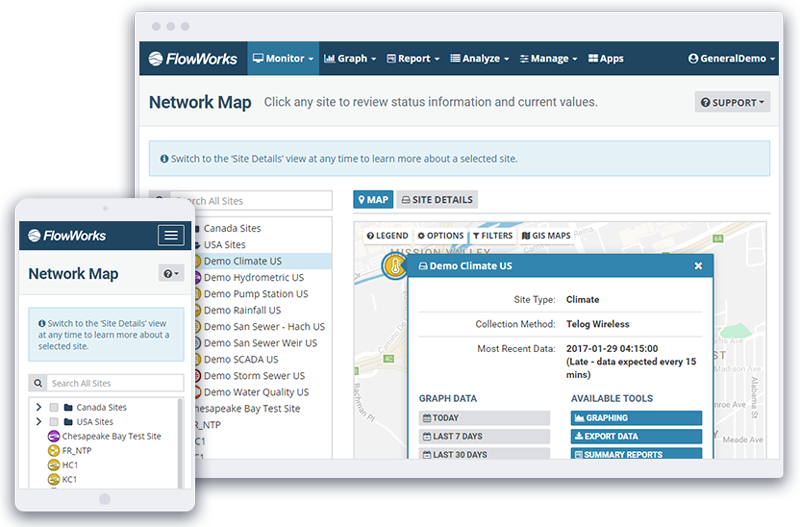
Every station connected, including the awkward ones
The plant has a SCADA system; the outlying stations often do not. Run hours are totalled at the end of the month if anyone asks, duty balance between pumps is assumed rather than measured, and stations without telemetry are visited on a fixed schedule rather than according to risk.
If a facility is already on SCADA or a data logger, linking it is straightforward. Outlying stations reporting over cellular or satellite telemetry connect the same way — which is usually what brings near real-time monitoring within reach where it previously looked too expensive. Rainfall and forecasts come in alongside them, since wet weather is what drives pump station behaviour.
- SCADA, data loggers, and cellular or satellite telemetry from outlying stations
- Pumps, motors, valves and other equipment from any manufacturer
- Rainfall and forecasts alongside the stations they drive
What every pump is doing, as it happens
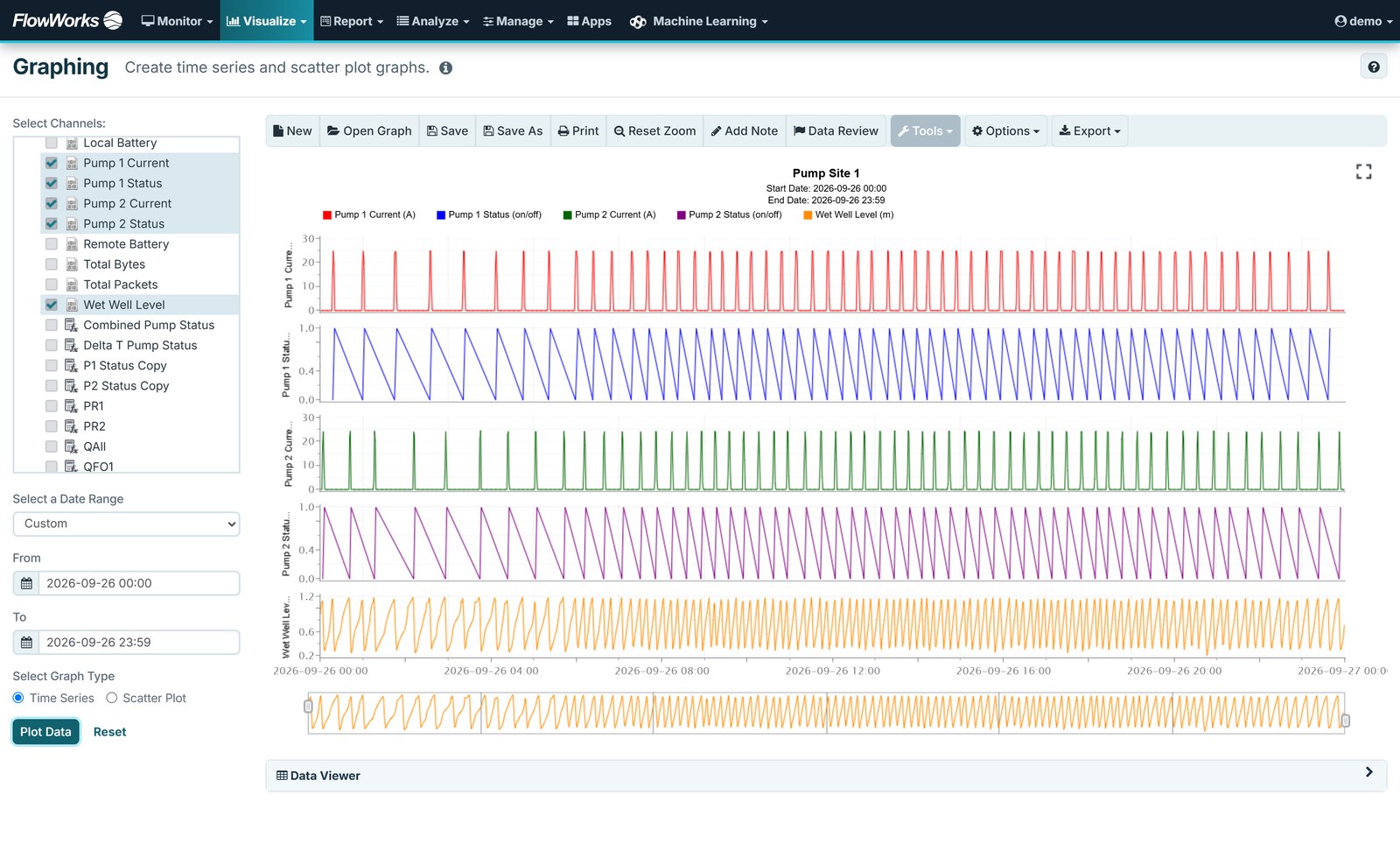
Once connected, every pump reports its own state as the data arrives — running or stopped, for how long, and how often it started. Run hours, start/stop counts and duty balance stop being end-of-month reconstructions and become channels you can graph, alarm and report on.
- Pump status, run hours and start/stop counts, per pump, per day
- Duty balance between pumps, measured rather than assumed
- Alarms and notifications on any channel
- Custom dashboards across the whole pump network
- Daily, monthly and yearly summary reports
Flow through a pump, without metering the pump
Knowing the volume that has passed through a pump usually means installing sensors upstream and downstream of it — instrumentation that is expensive to buy and more expensive to install, often at a station where it is hard to justify.
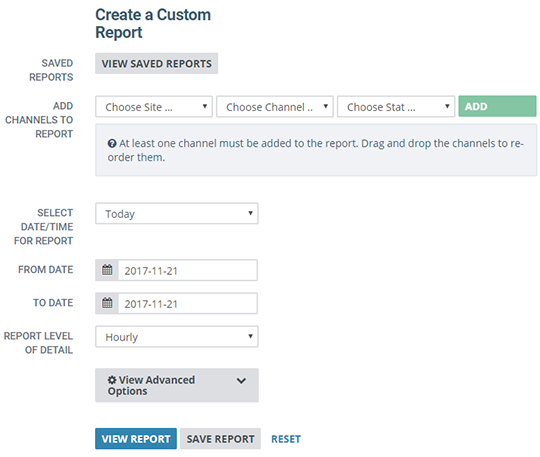
The Pump Station Calculator derives it instead. It uses the fact that a station has at least two pumps and that one is off while the other runs: given how long a pump was on and the basic parameters of the system, the volumetric flow across it follows. The minimum is two pump channels and a constant.
It sits on top of FACE as a pre-built, templated calculation, so you are not assembling several nested formulas by hand. The output is an auto-generated calculated channel showing the volume each pump produced, with optional interim channels for estimated pumping rate and pump-down cycles — and the raw data is left untouched throughout.
- Volumetric flow per pump, derived rather than metered
- Minimum inputs: two pump channels and a constant
- Optional interim channels — estimated pumping rate, pump-down cycles
- Raw data unmodified; results land in calculated channels
Predicting pump failure, before it happens
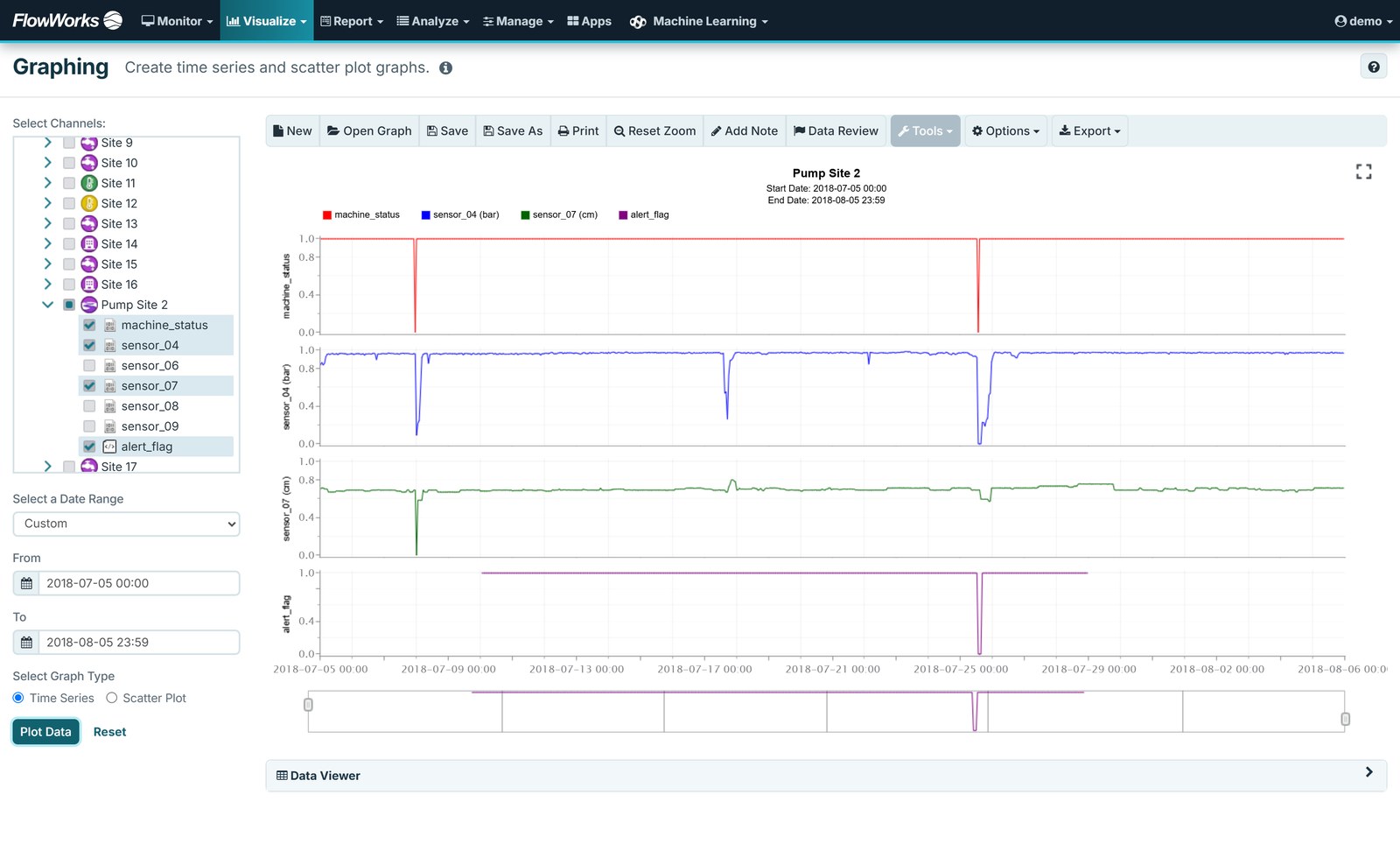
Run hours tell you how long a pump ran. They do not tell you whether it is getting worse. FACE Pro runs your own Python or R continuously against the station’s live data, and what it produces are calculated channels you graph, alarm and report on like any measurement — including ones that predict failure and flag a pump for maintenance before it stops. FACE covers the simpler derived channels without programming.
Example sites in the flowworks demo account show it working: calculated channels built on ordinary pump data that pick up an approaching failure and a developing leak, early enough to plan the maintenance rather than react to it. In the failure demo shown here, the calculated alert flag is raised about two weeks before the pump stops.
- Failure prediction — calculated channels that flag a pump drifting towards failure
- Leakage detection — pumping that no longer matches the volume it should move
- Pump efficiency and energy — what the station is costing to run, tracked rather than estimated
- Wet well cycling — cycle counts and durations, where short-cycling shows up before the failure does
- Constant-speed and variable frequency drive (VFD) pump analysis, which behave differently and need different treatment
Scripts take site constants as parameters, so one template covers every station of a type rather than being rebuilt per site. The API carries the results out again — to a maintenance system or any other application.
Who this helps, and how
Operations
A failure raises an alarm the same day, with enough context to decide whether it needs attention now or can wait.
Maintenance planning
Duty balance and run hours as a calculated total rather than an estimate, which makes the rebuild-or-replace decision easier to make.
Energy and operating cost
Pump efficiency and energy tracked as channels rather than inferred at budget time. A station drifting away from its own baseline is usually costing money well before it fails.
Compliance reporting
Produce the monthly numbers from the same record the operators monitored all month, with corrections auditable.
Questions this answers
- How many hours a day do my pumps run — and are they running evenly?
- Is one pump performing better than the other?
- Is a pump’s efficiency drifting away from its own baseline?
- Which pump is most likely to need maintenance next?
- Is a station short-cycling?
- Is that pressure reducing valve (PRV) sticking, and does it open and close at the right pressures?
Related
Water
The distribution system the facility serves.
Wastewater
Collection system, overflow monitoring and inflow and infiltration (I&I) analysis.
Alerting & response
How alarms, notification and acknowledgment actually work.
Start with the site you worry about
A demo on your least-instrumented facility is usually more revealing than one on your best.