Wastewater collection and overflow monitoring
From a handful of sites to a large collection network — including the inflow and infiltration (I&I) analysis that capacity planning, rehabilitation and regulatory reporting all depend on.
The data has to be in one place first
Your existing flow meters, level sensors and rain gauges stay exactly as they are, regardless of the manufacturer. SCADA data, from pump stations or anywhere else it is collected, sits beside field telemetry from the collection system. Rainfall arrives from your own gauges and from public networks, on the same timeline as the flow it explains.
Data aggregation is required before analysis can begin. Inflow and infiltration work requires sewer flow and rainfall together, aligned, in one record — so consolidating the sources is what makes the analysis possible at all.
Every I&I study starts from scratch
I&I analysis is complex, tedious and done by hand. Level and velocity come off the loggers, rainfall comes from somewhere else, the two get aligned in a spreadsheet, dry weather patterns are picked out manually, and storm events are identified by scrolling. The calculation is re-derived for every study, which is exactly where errors get in.
Worse, the result is a document. It describes a period that has already ended, and the next study means starting over.
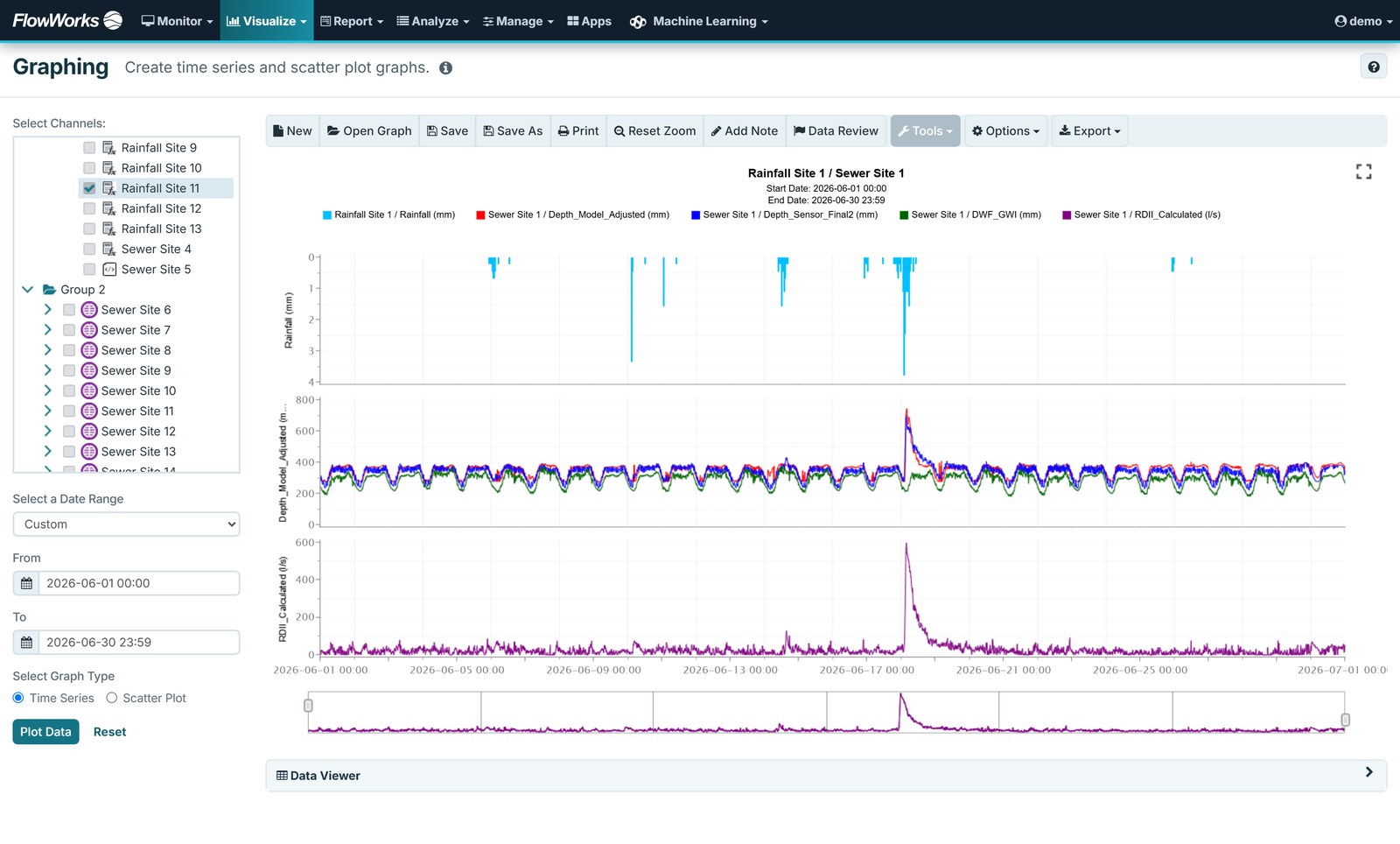
I&I analysis that does not start from scratch
There are two of these and they work together. The I&I analysis tool is the engineer's: it combines sewer and rainfall data to produce average dry weather flow and return-period I&I estimates, with storms added or removed and the dry weather pattern adjusted by hand. Auto I&I is the automated one, reporting continuously as data arrives — colour-coded metrics on a GIS view, a rainfall-to-RDII correlation graph and a rainfall derived infiltration and inflow (RDII) estimate per event. Having both matters because Auto I&I can seed a manual project with the dry weather patterns and storm event groups already identified, so a study starts from a draft rather than a blank sheet.
Because the analysis lives with the live data rather than an extract, the same study can be re-run against next season without rebuilding it.
- Auto I&I — dry weather patterns and storm event groups identified automatically, then editable
- Average dry weather flow (ADWF) and return-period estimates
- Return-period based I&I estimates using the envelope method
- RDII visualisation by catchment, for prioritising where to look next
- Manning and Froude curve fits against scatter-plotted level, velocity and flow — the two fits built specifically for collection systems
What the collection system is doing, as it happens
Level, flow, rainfall and overflow status are on the map, the graph and the dashboard as the data arrives, and alarms can be set on any of it. You see what the network is doing now, not what the next report says it did.
Overflow monitoring and notification
Bring pump and gate status in alongside the metered flow and you can see what the structure was doing when the level moved — whether a pump was running, whether a gate was open, and what that did to flow downstream. Alarms fire on critical levels or flows, with dwell times so a passing spike does not trigger a notification.
Pump station data as flow
The Pump Station Calculator derives volumetric flow through a pump from its run time, which is useful where a station is the only measurement point on a branch and no flow meter is fitted. The run data itself typically arrives from SCADA. See facilities.
Network overview, and catchment rollups
Every site on a map, with point-and-click access to its analysis functions. Catchment boundaries display as a GIS layer, and you can add whatever other layers you work with. Sites group into folders — by catchment, or however the network is organised. From there you can build a dashboard that puts rainfall, level and the derived I&I channels side by side per catchment, which during wet weather is the only question anyone is asking.
Telling the public, automatically
A number of cities publish combined sewer overflow (CSO) event data straight to their own public-facing website through the flowworks API — warning residents which areas are affected, from the same record operations is monitoring. Your site, your branding; the live data comes from flowworks.
Anomaly detection
infinitii flowworks has its own anomaly detection algorithm, available on premium accounts, for the drift and fouling that a fixed threshold never catches. Where a hydraulic model is integrated there is a sharper option again — a flag built in FACE Pro that compares the measured value against the model’s predicted value, and provides the expected value for the data point.
Numbers you can defend
An I&I estimate is only as good as the level and velocity under it. Suspect readings are flagged and corrected without destroying the original, corrections become their own channel, and the edit history records what changed and who changed it — which is what makes the result reviewable a year later.
The calculation you keep redoing, deployed once
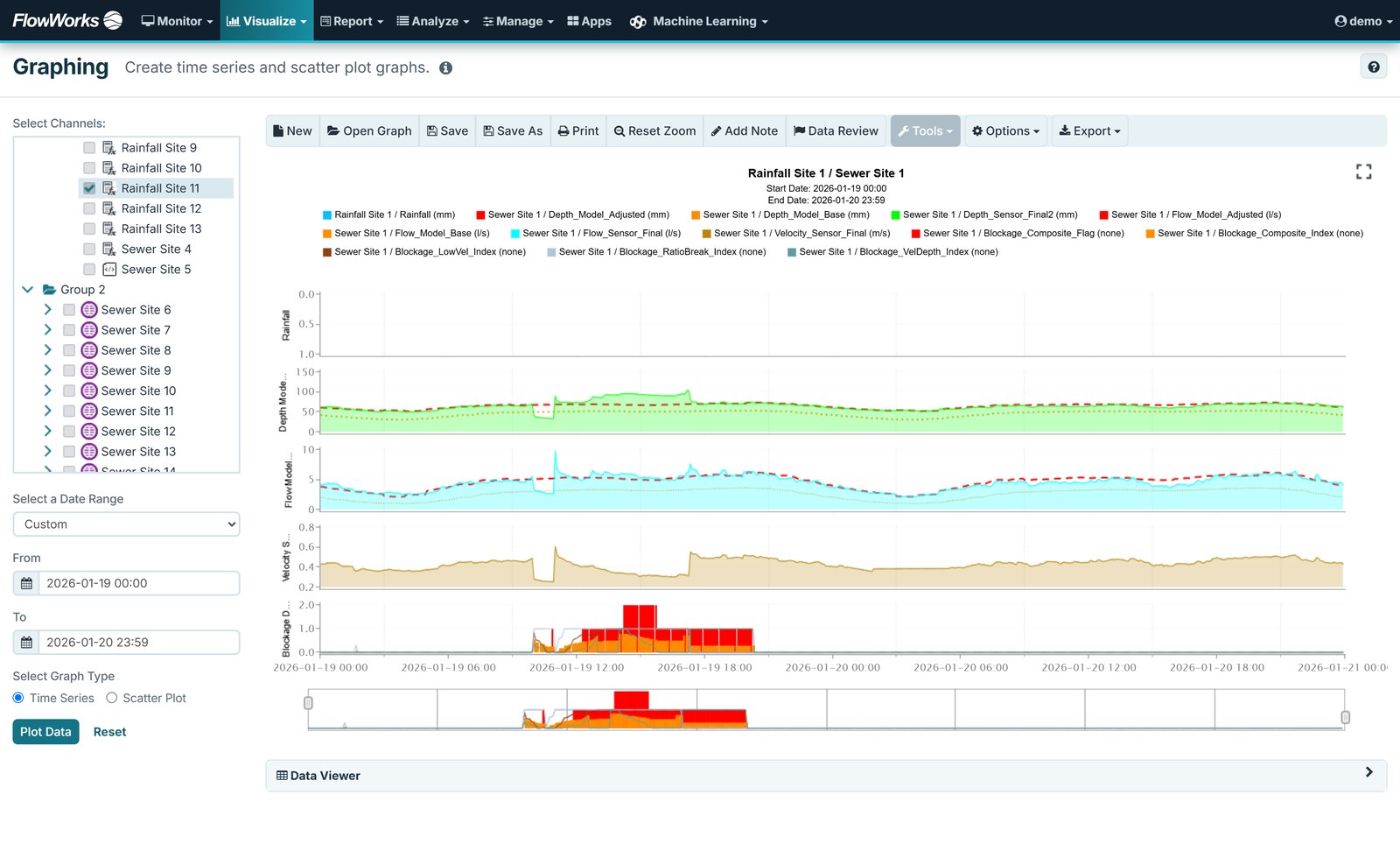
Collection system work has a lot of analysis that is standard in method but specific in setup — the same derivation, against different pipes, catchments and seasons. FACE Pro lets that be written once in Python and deployed into flowworks, where it runs against incoming data in real time or on a schedule. The difference is dynamic versus static: the calculation produces a result continuously as data arrives, instead of a fixed answer that has to be produced again whenever it is needed.
The result is a calculated channel, and it can be used for everything a sensor channel can.
There is a substantial library of collection system scripts already in use with customers. A sense of the range:
- RDII and hydrograph separation — RTK unit hydrograph estimation, unit I&I rate, wet/dry classification, rolling ADWF and peak dry weather flow
- Hydraulic condition from scattergraphs — Manning velocity and flow, Froude number, capacity ratio, velocity deficit, flow regime and hydraulic jump
- Structural and operational faults — blockage, surcharge, backwater and chronic backwater, reverse flow, sanitary sewer overflow (SSO) flagging, CSO end-weir
- Pump station behaviour — constant-speed and variable frequency drive (VFD) pump analysis, wet well cycling, efficiency and energy
- Sensor health — drifting depth and drifting velocity, plus CUSUM, z-score/IQR and multivariate anomaly detection
Scripts take site-specific constants as parameters — pipe diameter, roughness coefficient, logging interval — so one template covers a whole network with per-site values.
The same machinery runs forward as well as back. Forecast rainfall can drive a prediction of overflow response — lead time before the event rather than a record after it. FACE Pro is available with a premium subscription, and work like this is what it is for. More on forecasting, or read how the overflow alert system handles the live and after-the-fact side.
Who this helps, and how
These are the roles flowworks supports, in both large utilities and small ones.
Modelling and capacity studies
Defensible I&I numbers, faster turnaround, and a method that can be explained to a reviewer. intensity-duration-frequency (IDF) curves, rainfall mass balance and catchment-level RDII all draw on the same underlying data.
Reporting, whatever is driving it
Summary reports on a schedule, built from a central data repository rather than compiled from multiple disparate sources, with the edit history intact behind them. The reason differs by utility — a regulatory requirement, an internal review, or another time-period reporting commitment — and the reporting works the same way regardless.
Operations
Know when an overflow event occurs, and ensure the right person is notified.
Consultants delivering the study
Deliver your work to the utility as something that keeps running rather than as a static document, and use the platform to find, report on and automate the problems nobody has had time to get to yet. See delivering analysis as a live channel.
Related
Rainfall
The rainfall side of the same analysis: IDF curves, return periods, radar rainfall.
Facilities
Pump stations and treatment plants: run hours, duty balance, failure notification.
Analysis features
Auto I&I, I&I analysis, event finder, reporting and the rest.
Bring the catchments you have questions about
The fastest demo is one where you build an I&I study on your own data.